zzyx/downloads

THE PERSONAL TOOL SHELF

Good tools.
One place.

A small collection of things we build.
Grab what you need. Make it yours.

Find your next tool
THE COLLECTION

Ready when you are1

A SMALL STUDIO. BIG POSSIBILITIES.01 / DESKTOP
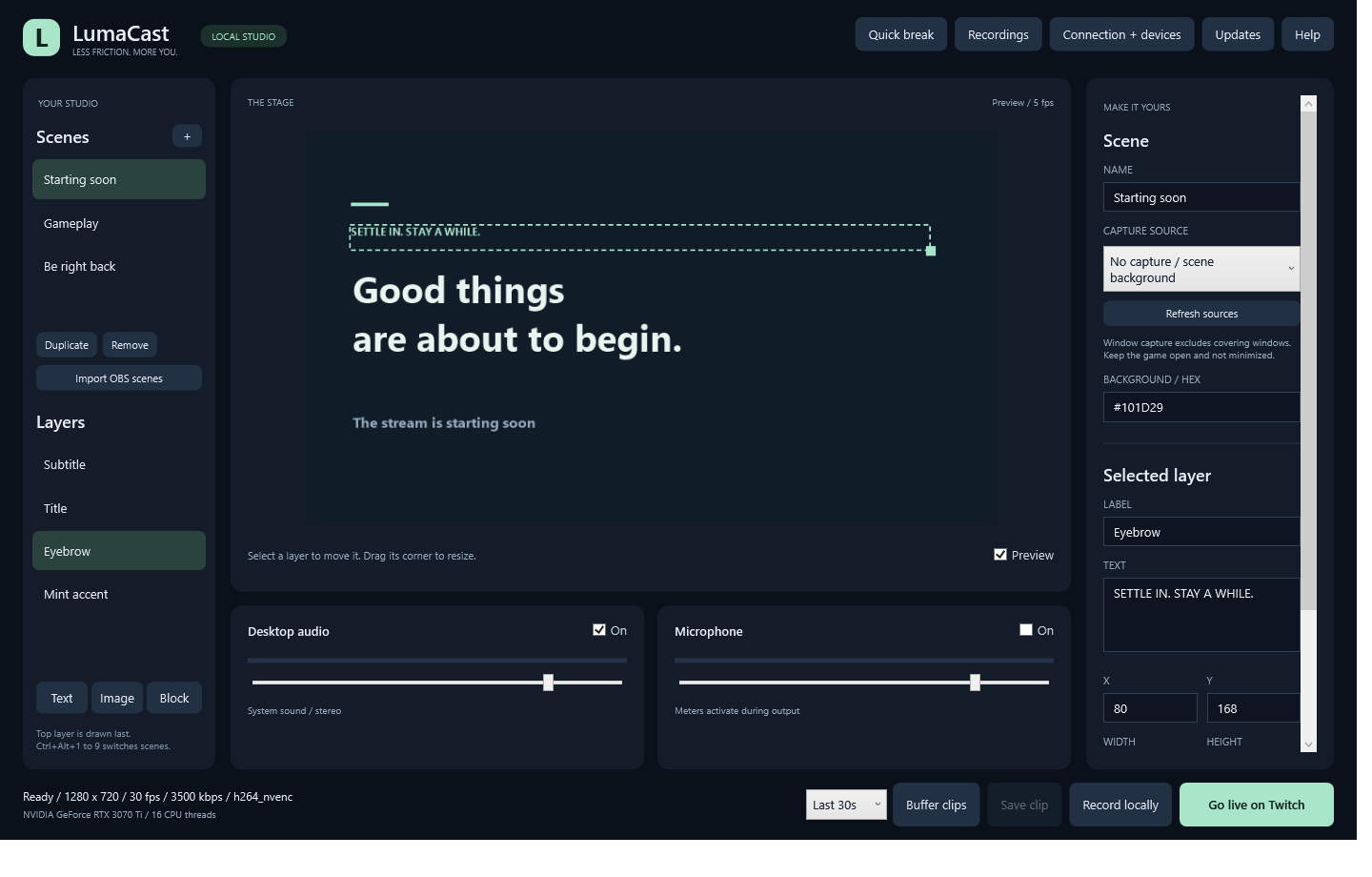
LumaCast scene editor with Starting soon scene, overlays and audio controls
YOUR NEXT GOOD MOMENT STARTS HERE

LumaCast

Streaming + clips
v0.5.0

Your stream. Your scenes. Your best moments. A native Windows studio for Twitch streaming and quick gameplay clips.

Twitch streamingOBS scene import30/60-second clipsHardware-aware encodingBuilt-in updates
Download for Windows

Windows 10 2004+ / 11 x64 156 MB Portable ZIP

File details & release notes

Early release. Windows 10 version 2004 or newer. Keep the captured game open and not minimized. AMD gameplay and long Twitch sessions still need real-world testing. OBS imports support a subset of sources.

Released 2026-10-13. New window and taskbar icon. Automatic Twitch reconnection now covers silent stalls and remote session ends, retries network outages without a time limit and preserves quality. A reconnect countdown keeps connection status clear.

SHA-256cdb58be18e2e5963bed96b315a53f51e89c01d5feaa845abe3c2cfe8467401fe

FROM DOWNLOAD TO DESKTOP

Three small steps.
Then you are in.

No shared folders. No hunting for the right build.

  1. 01

    Download the ZIP

    Choose your tool. The version and platform are shown on its card.

  2. 02

    Extract the whole folder

    Keep the included files together. Do not run the app from inside the ZIP.

  3. 03

    Open it and make something

    For LumaCast, open LumaCast.exe. Try a local recording before your first stream.

What is included with LumaCast?

The portable app includes its .NET runtime and FFmpeg. No separate install is needed. Your scenes and settings are saved in your Windows user profile. Close an older copy before starting a new version.

Can I save clips without streaming?

Yes. Choose a 30- or 60-second buffer and click Buffer clips. Ctrl+Alt+S saves the recent completed segments as MP4. Ctrl+Alt+R starts or stops the buffer. Manual recording is also available. These are separate modes from Twitch streaming.

How do I check a download?

Expand File details on the tool card to see its SHA-256 checksum. On Windows you can compare it with Get-FileHash .\LumaCast-0.3.0-win-x64.zip -Algorithm SHA256. The value should match exactly.